Photography
7 Phone Photo Editing Steps for a Natural Look
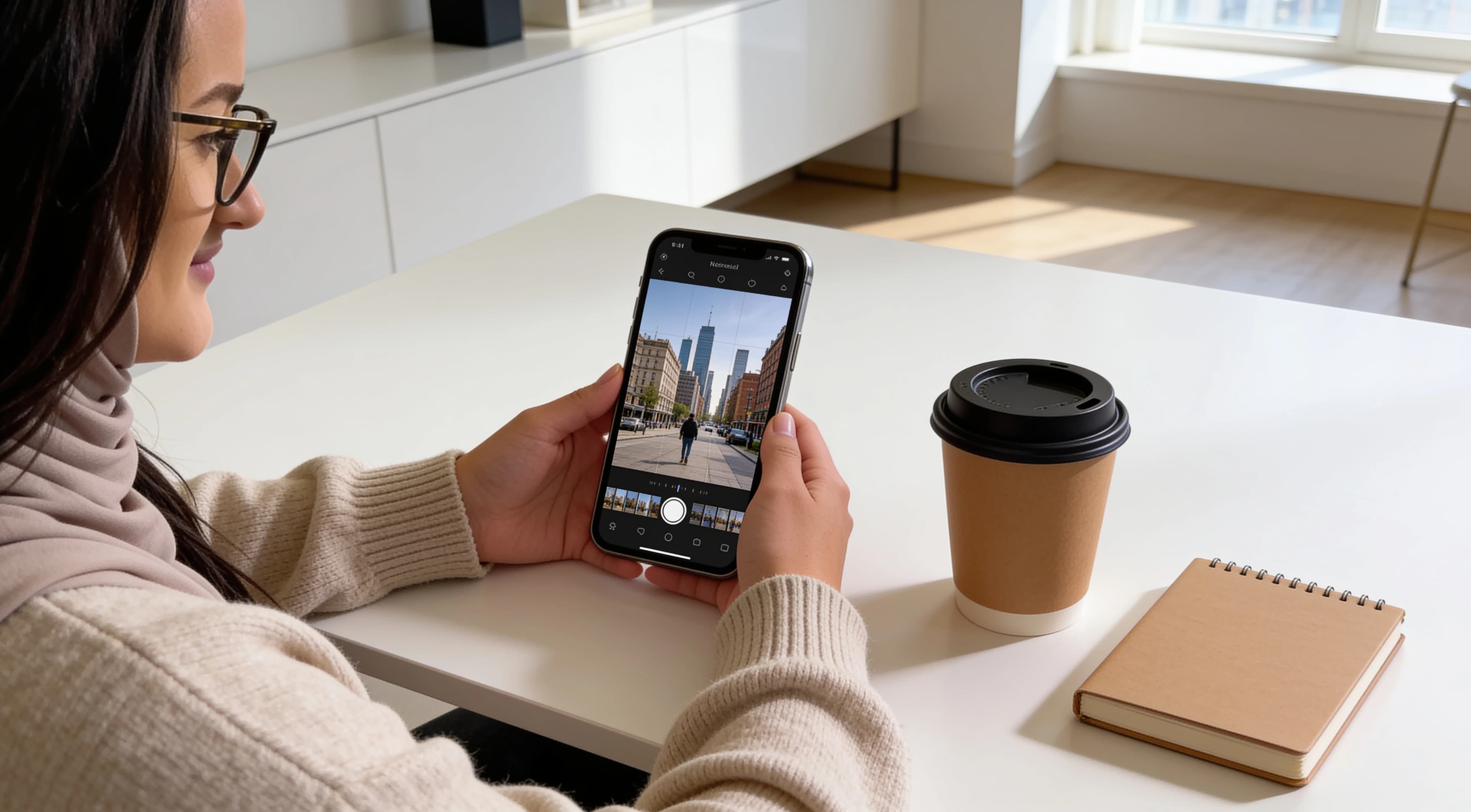
Natural editing is mostly about correcting distractions and balancing light and color, not making every setting stronger. A good edit should keep skin, fabric, shadows and light believable while helping the photo feel cleaner.
Quick answer
Edit for balance before style.
Start with exposure and white balance, protect important highlights, open shadows only as much as needed, adjust contrast and color gently, then sharpen carefully and stop before skin, fabric or light starts looking artificial.
Editing comparison
What each editing step is for
| Editing step | Main purpose | Most useful when | Watch for |
|---|---|---|---|
| Fix overall exposure | Brightness balance | Image is too dark or too bright | Clipping highlights |
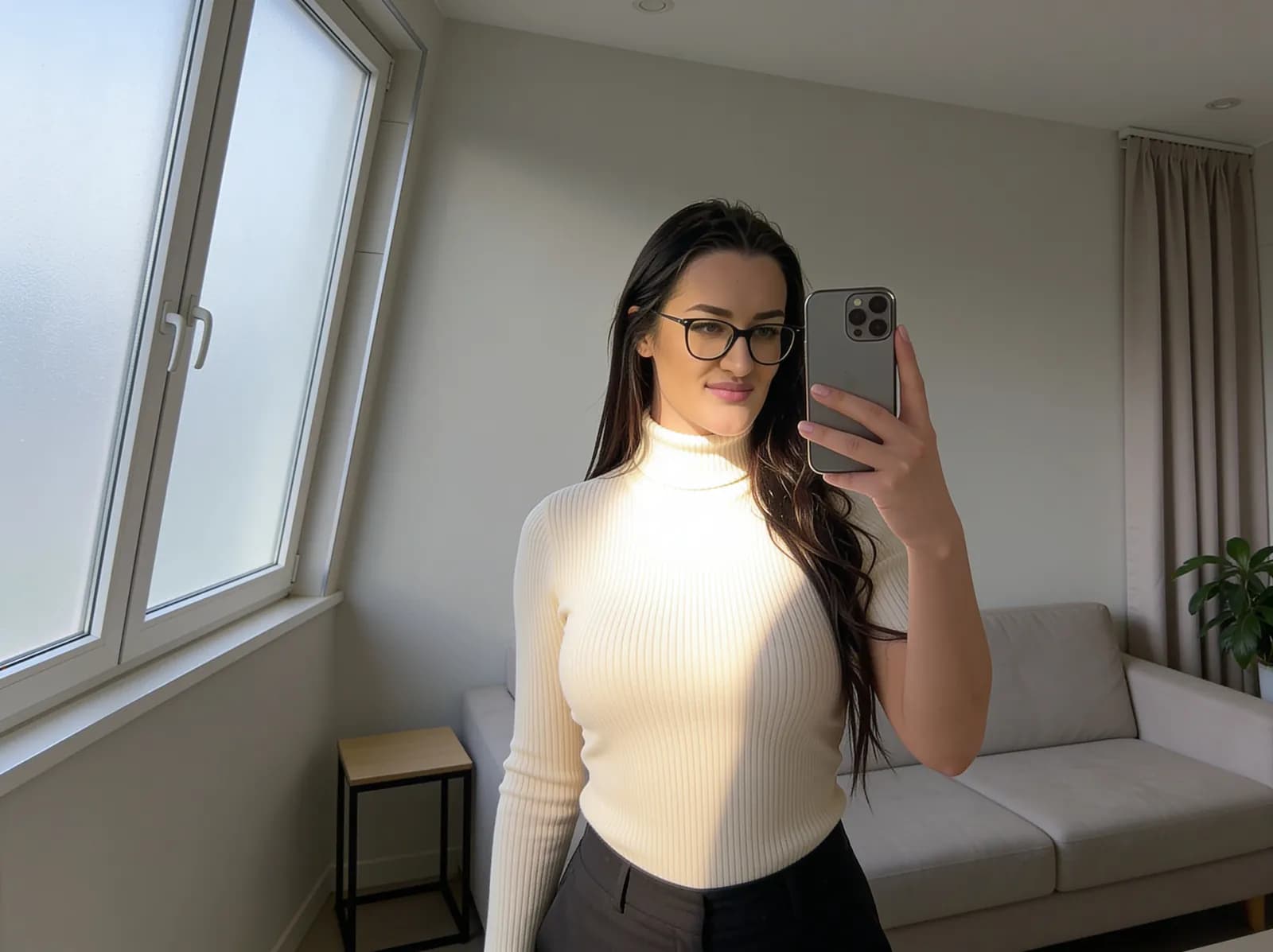
| Recover important highlights | Restore bright detail | Windows, white clothing, signs | Flat-looking bright areas |
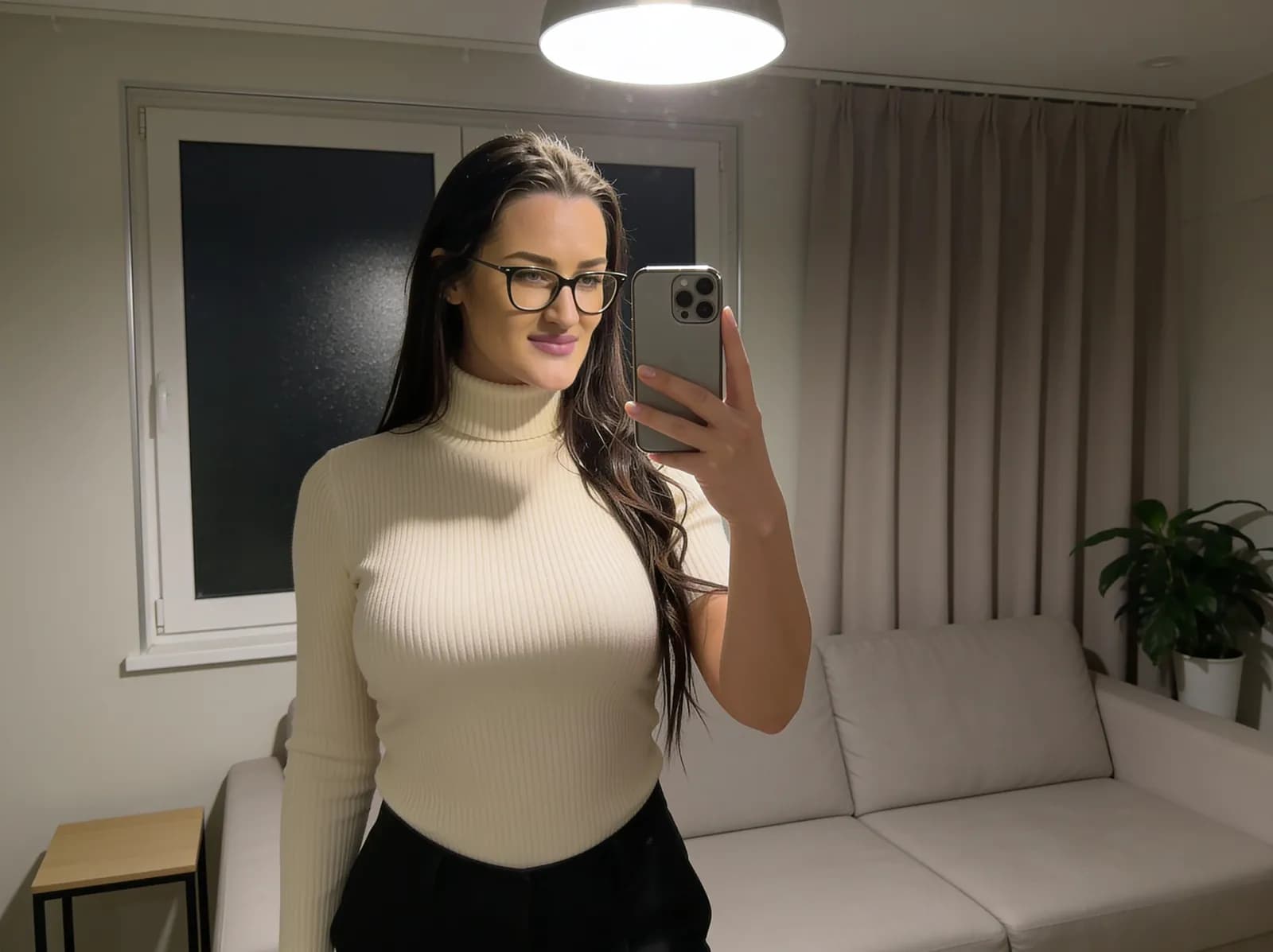
| Open shadows carefully | Reveal dark detail | Face, clothing, background is too dark | Noise becoming obvious |
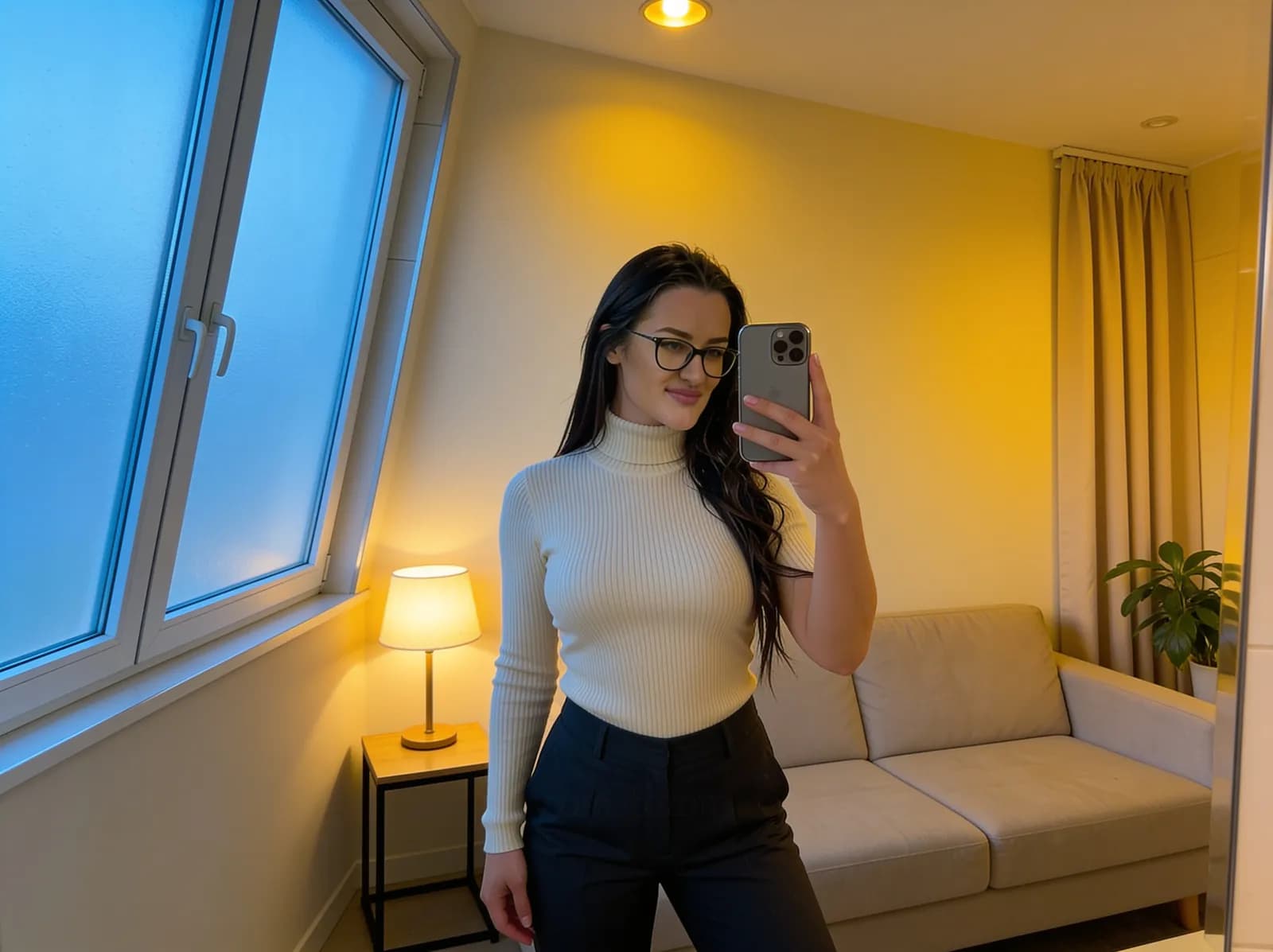
| Correct white balance | Believable color | Indoor or mixed lighting | Making the whole image too warm/cool |
| Adjust contrast gently | Depth | Image feels flat | Crushed blacks |
| Control saturation/color | Believable color | Skin, clothing, lights look too intense | Unnatural reds/oranges/blues |
| Sharpen lightly and finish | Clean detail | Final image looks soft | Halos/noise/skin texture becoming harsh |
Practical workflow
7 phone photo editing steps for a natural look
The exact sliders and names vary by app, but the order matters. Work from big light and color problems toward smaller finishing details.
STEP 01
Fix overall exposure
What to adjust
Use exposure or brightness controls to place the whole image in a believable range before making smaller edits.
Why it helps
If the photo starts too dark or too bright, every later adjustment becomes harder to judge. A balanced base makes color, contrast and detail easier to evaluate.
Best situation
Start here when the entire image feels dim, washed out, too heavy or too bright on first glance.
Watch for
Do not brighten so far that windows, white clothing, skin highlights or skies lose detail.
One simple example
A slightly dark indoor portrait may need a small exposure lift before touching color or sharpness.
STEP 02
Recover important highlights
What to adjust
Reduce highlights or whites only enough to bring back useful bright detail where it still exists.
Why it helps
Bright areas often attract attention first. Controlling them can keep a window, sign, white shirt or shiny fabric from overpowering the subject.
Best situation
Use this when windows, city signs, white clothing, reflective satin or sky areas look too bright compared with the rest of the photo.
Watch for
If detail is fully clipped, the app may not be able to restore it. Pulling highlights down too far can also make bright areas look grey and flat.
One simple example
A white shirt beside a window may need highlight recovery so the fabric still looks like fabric instead of a blank patch.
STEP 03
Open shadows carefully
What to adjust
Lift shadows or dark areas just enough to reveal the subject, clothing shape or background detail that matters.
Why it helps
A small shadow lift can make a face, outfit or room easier to read without removing all mood from the image.
Best situation
Use it when a subject is underexposed, a dark outfit loses shape or an indoor background has useful detail hidden in shadow.
Watch for
Lifting dark areas can reveal noise, compression artifacts and muddy color. Not every shadow needs to become bright.
One simple example
A night photo can keep a dark street atmosphere while opening the subject's face slightly.
STEP 04
Correct white balance
What to adjust
Use warmth, tint or white balance controls to reduce unwanted yellow, green, blue or magenta casts.
Why it helps
Natural editing depends on believable color. A small correction can make skin, fabric and walls look closer to the scene without forcing every color to neutral.
Best situation
Use it for warm indoor bulbs, cool artificial light, mixed window and room light, or photos that make skin and clothing look off-color.
Watch for
Aggressive correction can swing the whole image too warm or too cool. Mixed lighting may never become perfectly neutral everywhere.
One simple example
A room lit by warm bulbs may need a slight cooling adjustment, not a complete removal of all warmth.
STEP 05
Adjust contrast gently
What to adjust
Add or reduce contrast in small amounts after exposure, highlights and shadows feel balanced.
Why it helps
Contrast gives the photo depth and shape. Gentle contrast can make a flat image clearer without creating harsh shadows.
Best situation
Use it when a photo feels grey, low-energy or too evenly lit after the main brightness corrections.
Watch for
Too much contrast can crush blacks, remove shadow detail and make skin or fabric look harsh.
One simple example
A cloudy window-light portrait may need a small contrast increase after exposure is corrected.
STEP 06
Control saturation and color
What to adjust
Lower or raise color intensity carefully, and use selective color tools only when the app makes them understandable.
Why it helps
Phone processing can make reds, oranges, blues, greenery or neon lights too strong. Natural color often means restraint, not maximum saturation.
Best situation
Use it when skin looks too orange or red, clothing color looks stronger than real life, or city lights dominate the frame.
Watch for
Avoid pushing every color together. Strong color edits can make skin, clothing and light sources look artificial quickly.
One simple example
A city night photo may need less saturation in bright signs while keeping the rest of the scene believable.
STEP 07
Sharpen lightly and finish
What to adjust
Use sharpening, clarity, texture or detail controls lightly, then review the image at normal viewing size.
Why it helps
A small detail adjustment can make the final photo feel clean, especially after resizing or posting. Too much can make the image look brittle.
Best situation
Use it near the end when the photo looks slightly soft but exposure, color and contrast already feel right.
Watch for
Halos, crunchy edges, stronger noise and harsh skin texture are signs to reduce sharpening or clarity.
One simple example
A soft indoor portrait may need a light sharpen, but not enough to make hair edges glow or skin texture look rough.
Visual examples to compare
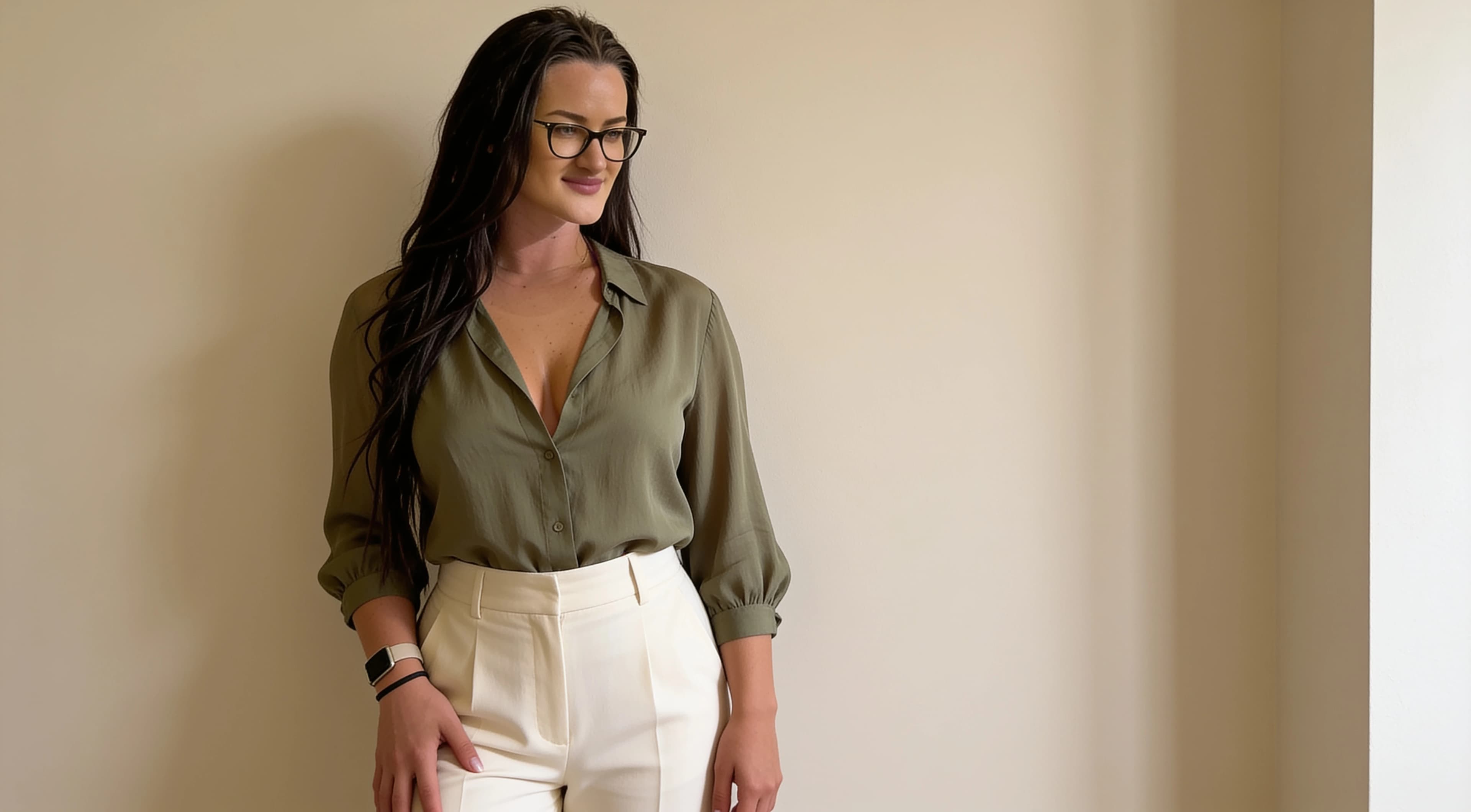
These existing examples are included to show the types of light, color and detail problems a natural edit might address. They are not fake before-and-after comparisons.
Edit in the right order
A practical order is crop and straighten first if needed, then exposure, highlights, shadows, white balance, contrast, saturation/color, sharpening and final review. Exact controls vary by app, so treat the order as a workflow rather than a list of identical sliders.
This sequence keeps the edit from fighting itself. If you sharpen before fixing noise, or boost color before correcting white balance, the final image can become harder to control.
Exposure vs brightness
Increasing overall brightness is not always the same as correcting exposure. A brightness slider may lift everything evenly, while an exposure control may affect the image in a way that feels closer to changing the captured light. Apps use these names differently, so judge the result on the photo instead of the label.
If the subject is too dark but the window is already bright, a large overall brightness increase can make the window worse. In that case, smaller exposure, highlight and shadow adjustments may look more natural.
Highlights and white clothing
Windows, bright signs, white shirts, reflective satin and sky areas can lose detail quickly. Highlight recovery may help if the file still contains detail, but it cannot always restore areas that are fully clipped.
Natural editing usually protects the important bright areas without making them dull. If a white shirt becomes grey or a window looks muddy, the highlight correction has probably gone too far.
Shadows and noise
Lifting dark areas can reveal useful detail in faces, clothing and interiors. It can also reveal noise, compression artifacts and uneven color, especially in low light or heavily compressed files.
Not every shadow needs to be bright. Keeping some darkness can make the photo feel natural and dimensional. Exact behavior varies by phone, camera app and file quality.
White balance and color casts
Warm indoor light, cool artificial light, mixed lighting and window plus room light can all create color casts. A room may look yellow, green, blue or magenta even when the scene felt normal in person.
Small corrections are usually safer than aggressive neutralization. Mixed lighting often means different parts of the photo need different corrections, so forcing the whole image neutral can make skin, walls or clothing look strange.
Saturation vs vibrance-style controls
Saturation usually affects overall color intensity. Some apps also offer selective or vibrance-style controls that may treat softer colors, stronger colors or skin tones differently. Behavior varies by app, so do not assume every control uses the same algorithm.
For a natural edit, use color controls to make the image believable rather than louder. If reds, oranges, blues or signs start dominating the photo, reduce the effect.
Skin, fabric and texture
Natural-edit warning signs include skin becoming orange or red, fabric losing texture, smooth surfaces becoming waxy, excessive clarity or sharpening, and strong halos around edges.
Check the photo at normal viewing size and zoomed in. If the image looks clean only when small but harsh when closer, reduce detail, clarity, sharpening or noise reduction.
Cropping and straightening
Straighten horizons, doorframes and obvious vertical lines where appropriate. Crop distractions from the edges, but avoid overcropping faces, hands or important outfit details. A little breathing room often makes the edit feel less forced.
Think about where the photo will be used. A vertical crop for social posting may need different space than a lock-screen or home screen image. For phone-screen composition, read phone wallpaper ideas.
How to edit night photos naturally
Night photos usually look better when signs and lights are protected, some darkness remains, shadows are opened carefully, saturation stays controlled and sharpening is used cautiously.
Avoid trying to make a night photo look like daylight. The darker areas are part of the atmosphere. For shooting choices before the edit, read city night photography tips.
How to edit indoor photos naturally
Indoor photos often need careful correction for yellow or green casts, bright windows, skin detail, fabric texture and natural shadows. Do not flatten every dark area just because the room is indoors.
Protect windows first, then balance the subject. For better indoor source photos before editing, see natural indoor phone photography.
Color choices still affect the edit
Editing can improve color balance, but it cannot make every color combination equally easy. Clothing and background colors that separate naturally usually need less correction. For practical examples, read colors that look good in photos.
Common editing mistakes
Quick natural-edit checklist
✓ Are highlights still detailed?
✓ Are shadows believable?
✓ Does skin look natural?
✓ Does clothing still look like the real color?
✓ Are there halos around edges?
✓ Is the image too saturated?
✓ Did I remove all natural contrast?
✓ Does the edited version still look plausible?
A simple 60-second editing routine
This quick routine is not literally the same length for every photo or every app. It is a simple order to follow when you want a clean, believable edit without getting lost in every slider.
1. Crop and straighten.
2. Fix exposure.
3. Check highlights.
4. Check shadows.
5. Correct white balance.
6. Adjust contrast slightly.
7. Reduce or add color only if needed.
8. Sharpen lightly.
9. Compare with original.
10. Stop if the image looks believable.
About the visual examples
Sofia is a fictional virtual creator. Any visual examples on this page are digitally created and used to illustrate exposure, color, contrast, cropping and phone-photo editing concepts.
About this guide
Sofia is a fictional virtual creator. This guide is published by SofiaRusso.vip and maintained by the site owner. AI tools may assist with drafting or illustrative imagery, while the final published material is reviewed before publication.